









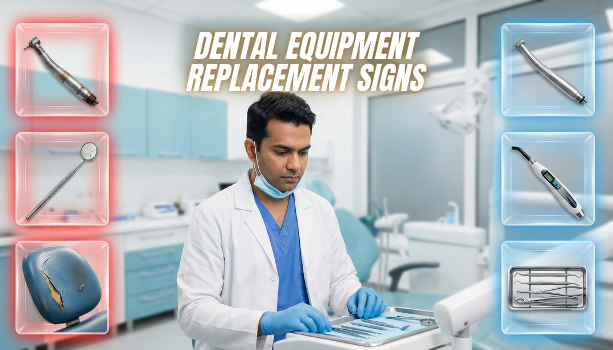
Every clinic depends on dental equipment every single day. When dental equipment works fine, treatments go smoothly and fast. But one breakdown can mess up the whole day, waste time, and upset patients.
Most issues start small. They give warning signs before total failure. Spot them early, and you avoid big problems, extra costs, and safety risks. This guide shows those signs in plain words so you know when to fix or replace dental equipment.
Why Replace Dental Equipment on Time
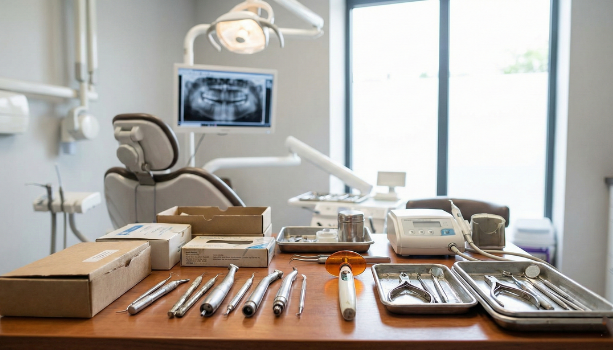
Waiting too long to replace dental equipment can cause real trouble in your clinic. Fresh, working gear keeps things safe, fast, and keeps patients coming back.
- Patient safety comes first. If autoclaves fail tests, waterlines get dirty, or suction stays weak, infections can spread. Good replacement stops that risk and follows health rules.
- Treatment works better with reliable tools. Weak curing lights mess up how the material sets. Shaky handpieces make you lose control. Bad X-ray images lead to wrong calls. Solid dental equipment means better work every time.
- Patients spot old broken stuff. A nice modern clinic makes them trust you more. Constant issues with dental equipment push people away and kill word-of-mouth.
- Health rules are strict. Autoclaves need weekly spore checks. X-ray machines want yearly calibration. Ignore that and you can get fined or shut down for a while.
Common Signs Dental Equipment Needs Replacement
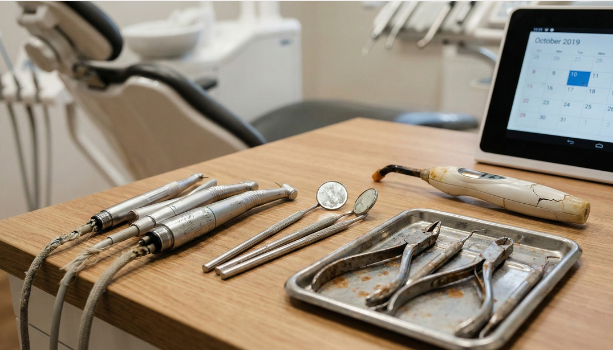
Dental equipment almost always warns you before it dies.
- If one unit needs repair over and over, replacing it often saves money long term.
- Strange noises, extra vibration, or overheating mean parts inside are wearing out.
- Slow suction, delayed images, or low power drag out procedures hurt workflow.
- Results should stay steady. If readings or images change for no reason, the device is likely failing.
- Rust, cracks, or worn spots hurt safety and make patients uncomfortable.
- Old dental equipment may not link with new lab equipment, software, or products. That limits what services you offer.
Signs for Specific Dental Tools
Different tools show their own warnings. Here is a quick list to check.
| Tool | Warning Signs | Action |
| Dental chair | Unstable movement, leaks, damaged controls | Repair or replace if unsafe |
| High speed handpiece | Loss of speed, wobble, high vibration, overheating | Service first, replace if issues continue |
| Autoclave | Failed biological tests or spore testing | Stop use until repaired or replaced |
| X-ray machine | Blurry or uneven images | Calibrate or replace faulty parts |
| Suction system | Weak suction, loud noise, poor evacuation | Service or replace pump |
| LED curing light | Low output, fillings not setting | Test with radiometer and replace if weak |
| Dental unit waterlines | Bad smell, buildup | Disinfect or replace tubing |
| Air compressor | Low air pressure, unusual sound | Service or replace if needed |
| Hand instruments | Dull edges, corrosion | Sharpen or replace |
Do not ignore even small instruments. Worn ones cut efficiency and hurt patient comfort.
Warning Signs in Digital and Electronic Equipment
Digital parts are common in clinics now.
- Frequent crashes or error messages stop work and annoy staff.
- Slow loading images or lost patient files mean the system struggles.
- Older machines might not connect to new lab equipment or software.
- Cordless tools with bad battery backup interrupt treatments.
Always follow maker’s instructions for service and calibration. Back up data often, so nothing gets lost.
Learn more about: Essential Dental Instruments Every Modern Clinic Needs.
How Often Should Dental Equipment Be Replaced
Lifespan changes with how much you use it and how well you maintain it. Here are common averages.
| Equipment | Typical Lifespan | Notes |
| Dental chair | 10 to 15 years or more | With proper maintenance |
| High speed handpiece | 3 to 5 years | Heavy use shortens life |
| Autoclave | 10 to 15 years or longer | Needs regular testing |
| X-ray unit | 10+ years | Digital sensors often 5 to 8 years |
| Suction pump | 5 to 8 years | Depends on workload |
| LED curing light | 5 to 10 years | Test output regularly |
| Computers | 3 to 6 years | Software updates may force upgrade |
| Digital sensors | 4 to 8 years | Sensitive components |
These are rough guides only. Check your manual and track real use.
When Repairs Cost More Than Replacement
If repair costs over 50 percent of a new unit price, replace it. Repeated fixes also mean more downtime, cancelled appointments, and lost money.
Steps to Plan Equipment Replacement
Plan ahead to cut surprise costs.
- Do regular audits. Check all dental equipment now and then. Write down age and condition.
- Keep simple repair records. Log every service and cost.
- Make a budget plan. Spread costs over months instead of big hits at once.
- Pick good suppliers. Choose ones who give real service, spare parts, and help.
Deciding Between Repair and Replace
Ask yourself these.
- How old is it? Past expected life means replace.
- How many fixes already? Lots usually mean bigger hidden problems.
- Still under warranty? Repair might be cheap then.
- Does it risk safety or slow the clinic? Replace for sure.
Consider Safety and Workflow
If the equipment affects infection control or daily operations, replacement is often safer.
| Situation | Better Option |
| New unit with small issue | Repair |
| Old unit with repeated issues | Replace |
| Safety risk involved | Replace |
| Low repair cost | Repair |
Conclusion
Reliable dental equipment keeps your clinic safe, smooth, and professional. Watch early signs, do regular tests, and plan replacements ahead. That stops sudden breakdowns and keeps patients happy.
Upgrade your clinic with Dhruv Dentofix. Buy dental instruments online in India with trusted quality and easy ordering.